Thursday, February 4, 2016

ShareD YouTube Playlists- Create a playlist with multiple collaborators

One shared video on Facebook got me thinking...my sister-in-law shared this super fun video today, mostly (I think) because the guy with the glasses has a hilarious dinosaur dance move: https://youtu.be/Imhi98dHa5w?list=PLLRi5Ghj26dCHEmCAj4-7P8rK6q620OMq

That video led me to think about how perfect and fun these videos would be for brain breaks in the classroom...

which led to making a YouTube playlist so I could keep them in one spot...

which got me thinking...why keep them to myself?  What if my teaching partner wants to add a video she/he found...

...which led me to wonder about shared YouTube playlists where different people can add to the same list!!!

So...how awesome would it be to lead through technology and START a shared playlist for:

  • grade level teams (Brain Breaks, videos for science content, etc.)
  • Entire sites (motivating/inspiring videos, Kid President snippets for morning announcements)
  • An entire District (Teaching strategies, district-wide grade level lists- talk about collaboration across sites!!!)
Here's how you do it!  (It's so easy...)

1. Sign in to YouTube.
2. On the left hand side, click Library.


3. In the upper left hand corner click 'New playlist.'

4.  Give your playlist a title and add videos by clicking 'Add videos.'

5.  Once you have your videos, select 'Playlist settings.'

6.  Now choose the 'Collaborate' tab.  Turn on collaboration by clicking the button so the blue check mark appears.  A button will appear that says 'Get Link.'  Click for the link; copy and paste so you can invite collaborators!!!

Now you have a shared playlist that anyone can add to, as long as they have the link!!!  You are still the 'owner' so you can monitor additions as needed.

Enjoy!

Wednesday, January 27, 2016

Gamify Your Staff Meeting or PD: Kahoot

Image from https://getkahoot.com/tutorials/Kahoot_Tutorials.pdf 
Want to add a little gaming to a staff meeting or pd session?  Kahoot is a GREAT tool to spice it up!  Kahoot! is easy to use and a fun way to collect feedback!  And that's not it...what a great way to model technology use to collect information and/or feedback that can immediately be used the next day in a classroom.

Kahoot! can be used as a classroom formative assessment tool to:
  • begin a lesson- gathering prior knowledge or building background knowledge on a topic
  • gauge student understanding in the middle of a lesson
  • assess knowledge, drive your instruction for the next day or week, at the end of a lesson as an 'exit slip'
Materials Needed: To use Kahoot! everyone needs a device that connects to the internet, i.e. smartphone, iPad, Chromebook, laptop... they'll all work.

To set up a Kahoot! quiz, discussion, or poll, you'll first need to make a free account.  Then you can build your own game by following directions here.  These directions are easy to follow and walk through creating a quiz step-by-step.

When you're ready to play, log in to kahoot.com on a device connected to a projector (preferably), choose your game, and select 'play.'


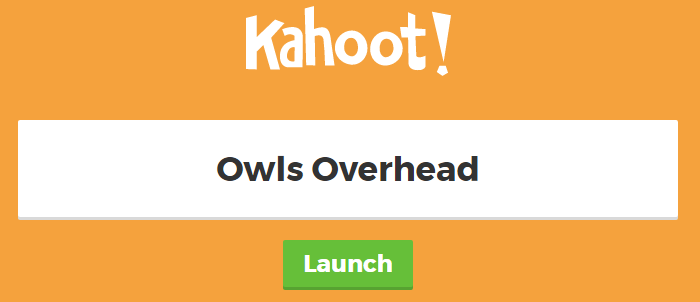
Select 'Launch...'


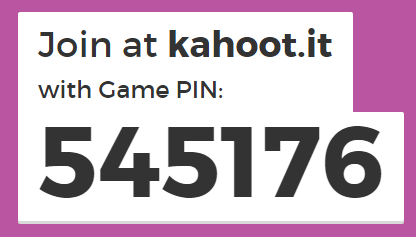
Players need go to kahoot.it and enter the unique code that was generated for your quiz (it'll appear after you click 'Launch').  They'll also be prompted to enter a nickname to identify themselves.


Your device (connected to the projector) will display the questions and answer choices.
Players devices will ONLY show symbols for answer choices.
Image from https://lh3.ggpht.com/8MB3BaV2DmsB0OgTNW3dBr7moEdgQgyd8WPcyTLfFXCEhm4XiHA5UGz8bQFqapA2iNSu=h900
Results will appear as soon as everyone has responded.  Players play for points...the quicker they answer the more points they get!

Have fun with this!

Tuesday, January 26, 2016

Kid Snippets: Math Class

Kid Snippets are some of the funniest videos on YouTube.  Here is my ABSOLUTE favorite- Math Class.  In Chico Unified (my school district) we have a group of teachers that facilitate district-wide grade level meetings during the year.  We used this video to open our very first meeting of the year and it was a huge hit...every teacher can relate to this situation.  Needless to say we haven't been able to find one to top this video yet, but we keep looking...

This video is perfect for:

  • Opening a staff meeting after a rough day
  • Instant icebreaker at a Professional Development session
  • "On a whim" sharing (Hey!  Check out this funny video!)
  • When you're by yourself and are looking for a laugh!

Monday, January 25, 2016

Apps You Need: Sock Puppets (Apple only)


Socks Puppets is a MUST have app if you have an Apple device for use in your classroom.  The app uses a sock puppet to record student voices (up to 30 seconds for the free version).  Students can also choose the background and any props for their scene.  The free version allows you to save and share the videos to a variety of sites.

Common Core Connections
TK:
  • Talks in complete sentences
  • Uses descriptive language

K:
  • SL.6- Speak audibly and express thoughts, feelings, and ideas clearly
  • L.1- Demonstrate command of English grammar and conventions when speaking

1st-3rd:

  • SL.6- Produce complete sentences when appropriate to task and situation
  • L.1- Demonstrate command of English grammar and conventions when speaking

4th-5th:

  • SL.6- Differentiate between contexts that call for formal English (e.g., presenting ideas) and situations where informal discourse is appropriate (e.g., small-group discussion); use formal English when appropriate to task and situation.
  • L.1- Demonstrate command of English grammar and conventions when speaking


However...this app can be used for a multitude of standards! Check it out:
  • Fluency: students practice reading a short passage for accuracy, rate, and prosody and then record as a sock puppet
  • Comprehension: Summary- have students record a written summary of a book/piece of text. Summaries include the most important points so students will have to think critically to write an effective summary that will have them talk for 30 seconds or less.
  • Mathematical Thinking: create a scene with 2 puppets and have puppet #1 (teacher voice) ask how a problem was solved and puppet #2 (student voice) explain how they solved a problem.
Finally- share the student videos on your website or email it to parents. The app alters the voice and there won't be any identifying student information in the video. How awesome would it be (as a parent) to receive a video of your student's work in an email? (I would love it!)


@prestoplans 30 Day Happy Teacher Challenge

Need a challenge for yourself? Try the 30 day Happy Teacher challenge from ! Brilliant! A little bit everyday will go a long way!

Sunday, January 24, 2016

Tech Integration

Today I found a fantastic article that really sums up my thoughts about technology in education.  Read the article here:  https://www.iste.org/explore/articleDetail?articleid=229&category=ISTE-Connects-blog&article=&utm_source=Facebook&utm_medium=Social&utm_campaign=ProjectReimaginED.

"There’s a wide gulf between technology use in the classroom and actual tech integration."

Yes!  How do we (teachers) use technology to transform learning for our students instead of using technology to substitute tasks that we currently have students complete?  There is certainly a place for technology as a substitute- practicing math facts, sight words, number recognition, etc.  But true integration goes beyond that and allows students to use technologies to enhance and transform their learning.  And when student learning is transformed, teaching has been too!!

Saturday, June 6, 2015

Minecraft Birthday Bonanza

Alright...summer's here!  Time for me to catch up on all the fun things I've made this year!  Here's the first post (of hopefully many) detailing the excitement of my son's 8th birthday party theme: MINECRAFT!

As I learned from our local party store, Mojang (Minecraft's creator) does not sell a Minecraft license that enables companies to make and sell commercial birthday supplies. So...most things I found while scouring various websites were handmade, and subsequently, mine were too (which I quite enjoy).

See below for ideas for a Minecraft Birthday Party!


Invitations and Thank You Notes
I designed the invitations and thank you notes just for Collin.  I used my Silhouette Cameo to cut envelopes with a Creeper face to contain the invitations.  So fun!


Finished invitations and envelopes!

Thank you cards for family...

Thank you cards for friends!

Treats for School
 My son requested Krispy Kreme  donuts for school treats.  Because I wanted to stick with our theme, I called and asked Krispy Kreme  if they had any green glaze that they could use instead of the regular.  THEY DID!  They were more than happy to make glazed green donuts and MORE than happy to supply Krispy Kreme balloons and hats when I picked them up from the store.  I'll definitely be returning if I need another 'custom' donut!
Product Detail

Another idea to make Minecraft donuts is to have filled donuts glazed in green (above).  This creates the perfect canvas for a creeper face.
Melt chocolate candy melts, put in a frosting bag, and pipe over a creeper face template (you can see one here).  Let the chocolate harden and carefully place one on top of each donut.  How fun!


Balloons
I searched and searched the internet for balloons to use for his party.  I wasn't happy with anything that I saw...so I decided to get some basic round balloons in Minecraft colors: red and purple latex and green and black mylar and a huge #8 balloon.  

On the black mylar, I added Enderman eyes- 1"x4" strips with a 1"x1.5" purple rectangle for the center.
On the green mylar balloon I cut a creeper face with my Silhouette and attached with double sided tape.


 ***Note: when adding paper to mylar balloons, use regular printer paper.  Cardstock is too heavy and will weigh the balloons down (as I found out and had to re-cut with regular paper and hope the balloons didn't pop as I moved the tape around!)


Cake
 The cake was by far the hardest for me as I wanted something unique, yet doable.  There are many wonderful ideas if you search "Minecraft cakes" on Pinterest or Google.

I chose to create my own cake and used Minecraft action figures to decorate the tops.  I made 2 cakes- one 9" square and one 9"x5" loaf pan.  I let them cool and cut the 9"x5" cake into thirds. which I added to the square cake.  You can see the final design (before fondant) above.

I used green and blue fondant, found at Joann's or Michael's craft stores, to cover the cake and finished the edges with frosting.  I added the action figures to the tops and made them blend in with the cake by using Wilton tip #233 with green frosting.  My son was amazed to see the finished masterpiece!


 Finished masterpiece!

Enderman and Diamond Steve action figures were found at Target, but they can been found at most toy stores or amazon.com.  

The creeper was one of the hangers I purchased for the party favors (below)- I just removed the top piece.  I did the same for the animals on the cake too.

I added diamonds to Steve's treasure chest by using blue sixlets, found at Target!


Party Favors

I made party favors from large glow-in-the-dark cups that I ordered from Oriental Trading.  We held the party in a room with a blacklight, so these were perfect!  I created the Creeper face on my Silhouette software, cut it out of black vinyl, and attached them to the cups.


I filled the up cups mostly with shredded paper and then added the fun items like (keep reading for links for where to purchase):
-Sticks of TNT
-Minecraft hangars
-Mining pencil
-Glow stick 


I used candy pretzel bags, red licorice, white paper, and a TNT sticker (made and cut on my Silhouette) for the TNT sticks.


I also found pickaxe pencils on orientaltrading.com that were perfect for the Minecraft theme.  They sell for $6.99/dozen at orientaltrading.com.

I also put Minecraft hangers in each party favor.  These are keychains with a variety of Minecraft characters attached.  There is a good variety on amazon.com.

The last item in the favor was a glow stick- from the $1 bin at Target.

The party was a huge hit!  Everything came together wonderfully and Collin had a great time!  I loved, loved, loved seeing how happy he was!!!